To create a lead magnet, choose one specific reader problem, build a small resource that helps solve it, explain the exchange clearly, and test how people receive and use it. Make the resource useful before you build the form. A polished signup page cannot compensate for a download that does not deliver its promise.
For an ebook creator, a short checklist, worksheet, or worked example can introduce a useful part of the subject without trying to become a second full book. This guide follows one original checklist from idea to delivery test. It does not promise a particular number of subscribers or sales.
Key Takeaways
- Choose one immediate reader task and define what completion looks like.
- Match the format to the task instead of defaulting to a long ebook.
- State what arrives, how it arrives, and what further emails people can expect.
- Test the resource and delivery flow, then improve the first observable problem.
Which reader problem should your lead magnet solve?
Begin with a moment when your intended reader gets stuck. ‘Learn photography’ is a broad ambition. ‘Check a first tabletop product photo before sharing it’ is a task that can produce a small, visible result.
Look for evidence in questions people actually ask, relevant public discussions, support requests you are authorized to use, or the performance of existing content. Keep the evidence separate from your interpretation. One person’s question is a useful clue, not proof of widespread demand.
Mailchimp’s lead-magnet guide emphasizes relevance and a useful problem to solve. The resource should help the same audience your paid work serves, rather than attract people interested in an unrelated prize.
Write a completion sentence: ‘After using this, the reader can identify one change to make before sharing a product photo.’ If your proposed content does not support that result, narrow it. Our guide to validating a digital product idea covers the broader research decision before you invest heavily.
Which format fits the job you are promising?
A checklist fits a task with observable checks. A template fits a repeated structure that people need to adapt. A worksheet fits a decision that requires personal input. A short demonstration fits a process that is difficult to understand through instructions alone.
Choose the simplest format that lets the reader finish. Shorter is not automatically better: a checklist with unexplained jargon may be less useful than a slightly longer example. Equally, adding chapters can turn a quick aid into another unread project.
| Reader needs to… | Possible format | Important limitation |
|---|---|---|
| Check whether something is ready | Checklist | Items must be concrete enough to verify |
| Produce a repeatable document | Template with an example | Explain what must be customized |
| Choose between alternatives | Worksheet or decision table | Show how answers lead to a decision |
| See how a process works | Short annotated demonstration | Make the result and sequence clear |
Kit’s lead-magnet examples compare several formats. Use those categories to choose a delivery shape, not to copy someone else’s resource or assume that their results predict yours.
How do you turn an idea into a useful checklist?
Here is an original illustrative resource: ‘Five Checks Before You Share a Tabletop Product Photo.’ It is an example of content you could create, not a download currently being offered through this article.
Draft the actual reader checks
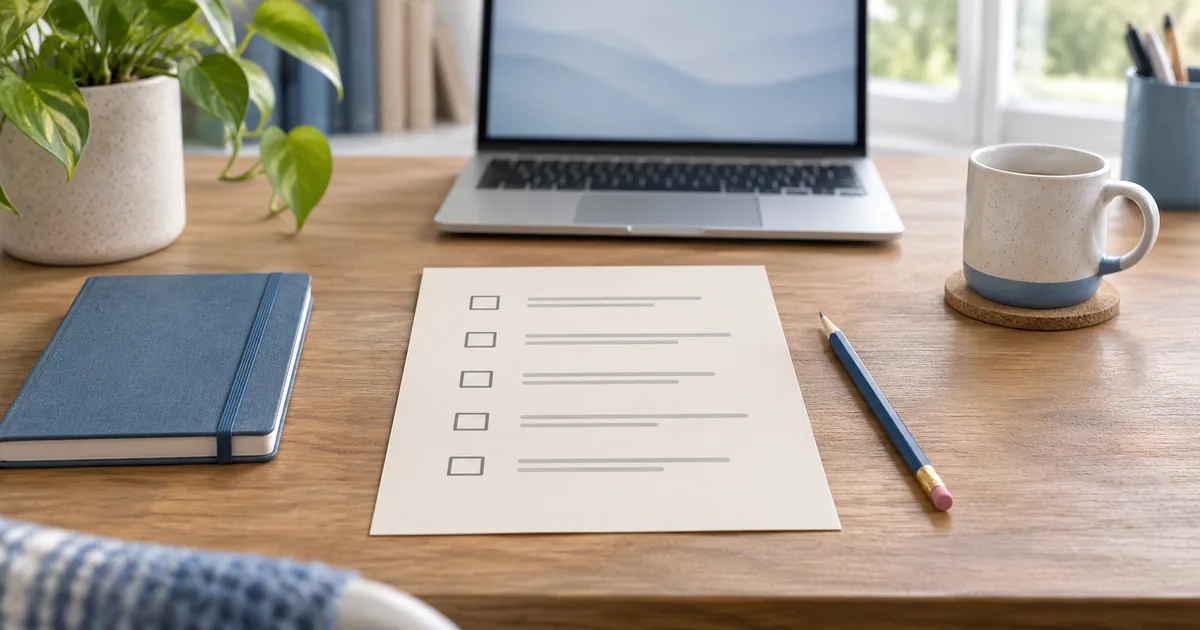
- Identify the subject: can someone unfamiliar with the item tell what the photo is meant to show?
- Inspect the background: remove one distracting object or edge that competes with the item.
- Check the important detail: enlarge the saved photo and inspect the feature buyers need to see.
- Check the crop: make sure the item and any necessary context are not cut off unintentionally.
- Choose the next action: share the photo, or name one specific change and retake it.
Now add a completed example. Suppose a handmade mug is sharp, but a bright packaging label behind it attracts attention. The reader removes that label, retakes the photograph, and compares the two saved files. The result is one explained decision, not an unsupported claim that the new image will increase sales.
Add a small answer space beside each check. For the example, the background field reads ‘Remove the bright label behind the handle.’ This makes the checklist a record of a useful observation rather than a row of boxes people tick automatically.
The published guide to photographing books as a flat lay illustrates how a specific subject can support focused photo practice. Your own checklist should likewise use examples that match the readers you intend to help.
Before designing the PDF, ask someone unfamiliar with the draft to use it on a suitable image. Observe where they hesitate. If ‘important detail’ is unclear, explain what it means for the example rather than adding decorative pages.
What should the signup page and first email say?
Write the promise in concrete terms: ‘Get a one-page checklist to spot one fix before sharing your first tabletop product photo.’ Say that the resource is a PDF, describe its contents accurately, and explain how delivery works.
Do not imply that a short checklist is a complete photography course. A preview can show the actual layout and one example without manufacturing testimonials, outcomes, or urgency. Explain what the reader needs, such as a saved photo they can inspect.
Make the email relationship understandable
Distinguish receiving the requested resource from joining an ongoing marketing conversation. State your intended follow-up clearly and use your email service’s appropriate consent and subscription controls. Do not describe delivery as a one-off download while silently treating it as permission for unrelated promotions.
An illustrative delivery email could say: ‘Here is the photo-readiness checklist you requested. Open the PDF, choose one saved product photo, and complete the five checks. Start with the background check if you are unsure where to begin.’ Add the actual working link when you implement it.
If you offer further tips, describe their subject and expected frequency honestly. Keep the first message focused on the promised resource. For writing accurate paid-offer copy later, see our digital product description guide.
How do you test the complete delivery experience?
A resource is not ready merely because the file exists. Test the journey from the page a new reader sees to opening the final file. Use an address and device you control, and follow the same confirmation steps a real subscriber would encounter.
Kit’s content-upgrade documentation describes connecting a form with resource delivery, including confirmation-email options. Settings and interfaces vary, so use current documentation for your chosen service rather than copying another platform’s button sequence.
- Read the signup page without your inside knowledge and check the promise.
- Submit the form and follow any stated confirmation step.
- Confirm the correct message arrives and its link opens the promised file.
- Check the PDF on a phone as well as a larger screen.
- Complete the example task and record the first confusing instruction.
- Check the stated subscription controls and any follow-up you enabled.
Keep delivery and usability problems separate. A broken link calls for a delivery fix. A working file that nobody understands calls for clearer content. Redesigning the cover will not solve either problem automatically.
Record the date and version of the tested file. If you replace it later, check the links again. A useful acceptance note is ‘Version 1 opened from the delivery email on both test devices,’ rather than ‘Everything should work.’
What should you measure before making a larger version?
Begin with observations you can actually collect: page visits where available, completed signups, successful test delivery, and useful feedback. Define the period and the event before comparing numbers. A download and a completed reader task are different outcomes.
Use denominators when reporting a rate. For example, a hypothetical two signups from twenty recorded visits describes that small observed sample; it does not establish a stable conversion benchmark. Avoid turning tiny early totals into a claim about what the whole market wants.
Ask what the resource helped someone do and where they became stuck. A specific response such as ‘I knew what to remove from the background’ tells you more about this checklist’s job than a generic compliment.
Improve the earliest meaningful failure before adding another lead magnet. If the promise attracts the wrong reader, revise it. If delivery works but the task is unclear, revise the instructions. For broader offer planning, The AI Side Hustle Starter is a related BestDigiBooks catalog resource.
Conclusion
Choose one reader problem and draft the usable resource today. Work through its example before designing the signup page, then test the complete delivery journey. Let the first clear observation guide your next revision instead of making a larger download by default.
FAQ
Does every useful free resource need an email gate?
No. An openly available checklist can help readers discover your work without an exchange. A lead magnet serves a different role because a signup is involved. Decide which experience fits your purpose, and describe it accurately rather than placing a form in front of material simply because the option exists.
Can I use a chapter from an existing ebook?
You can use material you own or have permission to share, but make the extract useful on its own. Add enough context, remove broken cross-references, and ensure it delivers the promise on the signup page. Check that the chosen excerpt does not depend on worksheets or explanations the reader has not received.