Choose JPEG when you need a finished, easy-to-share image with little editing; choose RAW when you want more flexibility to develop the photograph afterward. RAW plus JPEG can help you compare both, provided you are willing to manage the extra files. The best choice is the one you can carry through to a useful final image.
This guide to RAW vs JPEG for beginners goes beyond selecting a menu option. You will plan a small shoot, compare a pair of files fairly, make one practical adjustment, and export a photograph. That complete test is more informative than deciding which format looks brighter on the camera screen.
Key Takeaways
- JPEG is processed in the camera and widely supported for viewing and sharing.
- RAW retains more capture information for processing, but needs a compatible workflow.
- RAW plus JPEG records two versions; it does not create a backup on a separate device.
- Compare finished exports for your intended use, while keeping the original files safe.
What changes when you choose RAW or JPEG?
The scene and your camera technique still matter whichever format you select. File format changes how the capture is recorded and prepared for later use. It does not choose a better viewpoint, steady the camera, or make an out-of-focus subject sharp.
A JPEG is an image the camera has processed using its settings, then saved with compression. A RAW file preserves capture data and associated information for compatible software or supported in-camera processing. RAW is a family of camera formats, not one universal file extension.
Adobe’s RAW and JPEG comparison explains the difference in processing flexibility. Avoid turning that difference into a rule that one format is always professional and the other always inferior.
| Your priority | Useful starting option | What to check |
|---|---|---|
| Share finished photos quickly | JPEG | Exposure, color and transfer method |
| Develop the image more extensively | RAW | Editor compatibility and export |
| Compare both workflows | RAW plus JPEG | Storage and paired-file handling |
Think of this table as a decision aid. The same photographer might choose differently for a relaxed family outing and a deliberate editing exercise. The purpose of the shoot comes before loyalty to a format.
When is JPEG a sensible choice?
Suppose you want a few well-exposed photographs of a garden visit and need to send them that afternoon. If the camera’s rendering suits you and you do not plan substantial adjustments, JPEG can keep the process straightforward.
Make a test picture before the visit becomes busy. Check whether the color and brightness look suitable, whether the transfer works, and whether the recipient can open the image. This is a workflow check rather than a claim that you should never edit the JPEG.
JPEG files can be edited, and an editor can preserve the original while saving adjustment instructions. The limitation is the information available in the file, not an automatic ban on editing. Avoid repeatedly overwriting your only finished copy with successive compressed versions.
Settings that affect the camera’s rendering deserve attention if you rely on its JPEG. Use a look you actually want rather than assuming you can undo every choice later. Our guide to indoor white balance helps with one important color decision.
If the image looks wrong because the subject moved or focus missed, revisit the capture technique. Switching to RAW is not the specific fix for that problem.
When is RAW worth the extra workflow?
RAW becomes useful when you expect to refine color and tone more extensively or want to learn the development process. You gain room to make decisions after capture, but you also take responsibility for finishing and exporting the image.
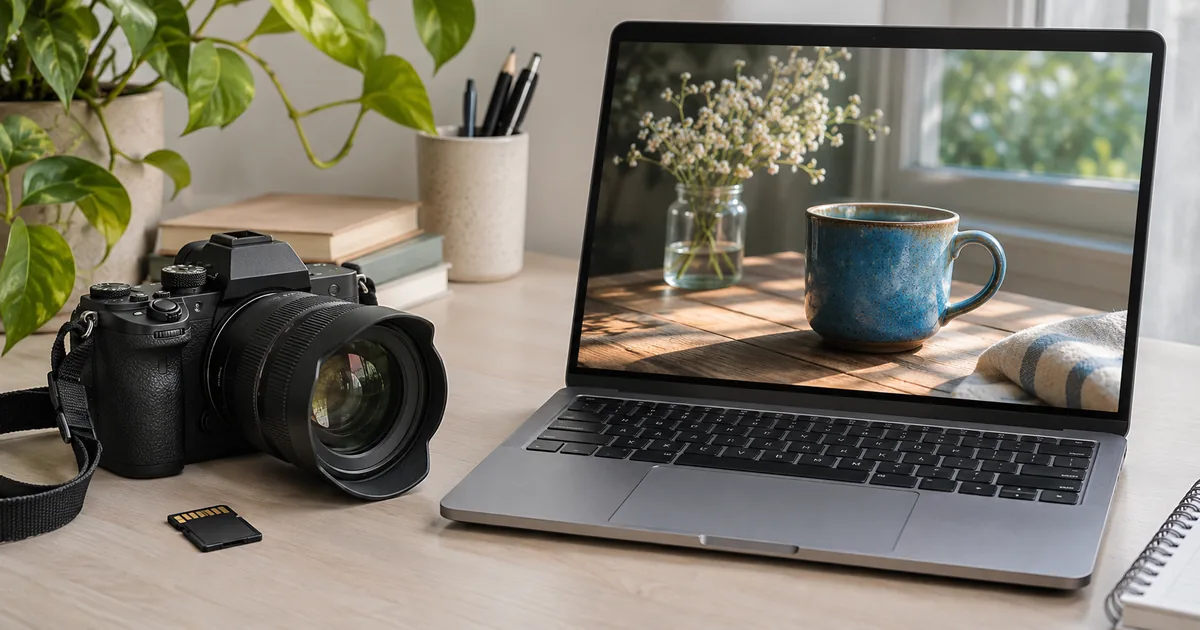
Imagine a window-lit still life with a blue cup, a pale cloth, and a bright background. You want to compare a neutral rendering with a warmer interpretation while retaining a usable original. RAW gives you a practical editing exercise rather than a vague promise of “better quality.”
Nikon’s format guide presents the choice as dependent on the subject and workflow. Treat editing flexibility as an opportunity, not an obligation to spend hours changing every frame.
RAW is not unlimited rescue. Do not assume it can restore detail that was never captured, remove every kind of blur, or make any exposure acceptable. Get the photograph as close as practical in camera and use editing to support the intended result.
If exposure choices are the uncertainty, our exposure triangle guide covers that separate skill. Keep the first format comparison simple enough that exposure, focus, and composition are not all changing between attempts.
How can you run a useful RAW-plus-JPEG test?
Capture one manageable subject
Check your camera manual for a RAW-plus-JPEG option and confirm that your editor supports that camera’s RAW files. Choose a still subject in steady light, such as the cup beside a window. Make a small set of photographs instead of a whole afternoon’s worth.
Keep the camera position and capture settings consistent for each comparison. Import the paired files without deleting either. Note which image is the JPEG and which is the RAW; thumbnails alone may not make that distinction obvious.
Compare an actual finished result
Choose one pair. Open both in your editor, make a modest brightness or color adjustment to each, and export them at the same pixel dimensions and comparable delivery settings. The goal is not to force identical slider values, since different starting renderings can need different adjustments.
View the exports in the app or device you intend to use for sharing. Ask which version reaches the look you want with an amount of work you are willing to repeat. Check the whole picture and a few important details.
Here is the decision: if the JPEG already fits the purpose and the RAW adds work without a useful difference, JPEG is reasonable for similar shoots. If the RAW lets you reach a preferred result more comfortably, keep practicing that workflow. This is an exercise you can run, not a claim that we measured a particular camera’s performance.
What do storage, software and export change?
Extra information usually means larger files, but exact sizes depend on the camera, settings, and scene. Do not plan storage from a universal number of megabytes per RAW. Look at your own test files and the capacity information your equipment provides.
RAW-plus-JPEG creates more files to identify and organize. It also means deletion behavior deserves care. For example, the Nikon Z fc manual’s image-quality section states that deleting the JPEG on that camera also deletes its RAW partner. That is a model-specific warning, not a rule for every camera.
Copy a small test set and verify the copies before making cleanup decisions. Two formats on the same card are still exposed to loss of that card. Our guide to organizing digital photos helps you build a clearer folder and file routine.
Check that the software opens your actual camera’s RAW files, not merely that it advertises RAW support. A newer camera can require an updated compatible version. Manufacturer software or supported in-camera processing may be options; verify what your equipment offers.
Finally, export the format and dimensions the recipient or platform needs. Sending a RAW file is not the same task as delivering a finished JPEG. Keep the editable original and the delivery copy clearly distinguishable.
Which format mistakes should you avoid?
The first mistake is treating the camera preview as a complete test of the editing workflow. A pleasing preview tells you something about the rendering you are seeing, but it does not show whether you can import, adjust, export, and share the file successfully.
The second is changing too many variables. If you compare different light, different exposure, and different subjects, you cannot confidently attribute the result to the format choice. Start with paired captures and one clear editing goal.
- Confirm support before choosing RAW for an important shoot.
- Keep original files instead of experimenting on the only copy.
- Compare exports at the intended display size.
- Choose a format for the next shoot rather than declaring a permanent winner.
Another trap is expecting a format choice to replace practice. A deliberately framed, correctly focused JPEG can serve its purpose better than an unfinished RAW collection. A well-managed RAW workflow can also become routine once you understand the steps.
For a broader introduction to capture and editing, Digital Photography Mastery is a relevant catalog guide. Use this article’s small comparison to identify the next skill you actually need, instead of changing every camera setting at once.
Conclusion
Before your next important shoot, photograph one simple subject in RAW plus JPEG, process a pair, and export both for the intended use. Choose your starting format from that complete experience. The useful outcome is a photograph you can finish and deliver—not simply a more impressive file extension.
FAQ
Is RAW the same as uncompressed?
Not necessarily. Cameras can offer different RAW recording and compression options. Check the terminology in your model’s manual rather than assuming every RAW file is uncompressed or that every compression option behaves identically. This guide’s main comparison is the workflow, not a recommendation for a specific camera setting.
Will a JPEG converted to another format become a RAW capture?
No. Saving a JPEG in another container does not recreate the sensor information omitted when that JPEG was made. Keep the original capture if you want future editing options. Convert or export copies when a particular recipient needs another format.